DIY Game: Find the Yellow Ball

I created a DIY game good for a little interaction with the DIYHub community at HIVE. I'm sure you are familiar with this type of game. You will be shown three cups and one of them contains a ball. It will be shuffled many times and after that, you have to choose or somehow guess the right cup.
This is my second game that I created using Powerpoint. Last time, the game I made was Find the card. It has three cards shuffled many times and after that you have to choose the right card.
For this one, it has the same concept but different design. Cups are being shuffled and one of them contains the yellow ball. I have added extra details this time to make the game more appealing. Though there are still room for improvement. Like better lighting and smoother transitions. I made the vibe into a circus one. And I also included one of the characters from Splinterlands. Fizbo the Fabulous was chosen for this one. It has the right vibe for the game and also its clothing suits well here.
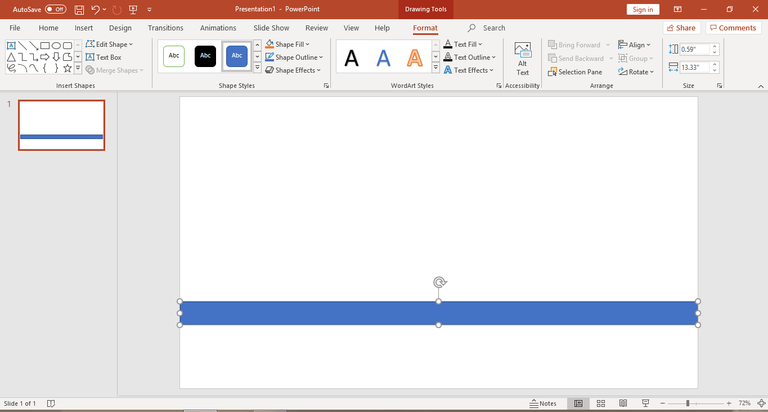
Here is a little background on how I created this animated game using MS Powerpoint. I used the shape elements in creating the main stall for the game. Starting from the tables, cups, and name holder for the game.

This was my first choice as my main cup for the game. It is a cylinder shape. But as I try to design the whole game, the cylinder shape does not fit well. So I tried to change it and find another shape. Unfortunately, I did not find a ready made cup shape on the shapes tab.
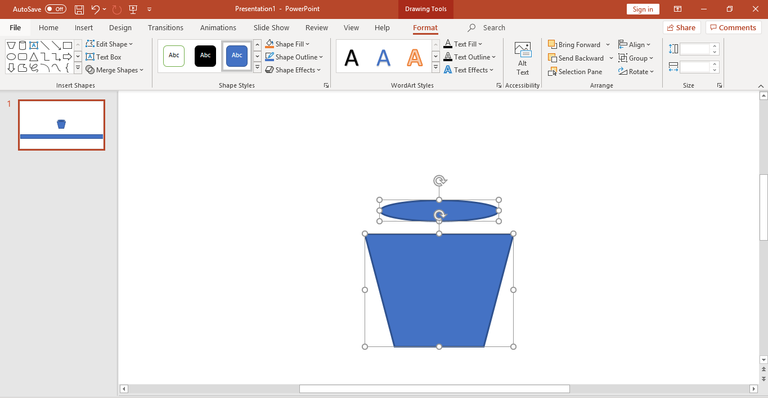
I manually created the cups for this one. Using the two shapes. We can see here the trapezoid and an oval. I just have to adjust their sizes and orientation to perfectly match the shape of a cup.

Once the right alignment and orientation is done. I proceed on coloring the cups and adding shadows to make it more 3D. Or to lessen it from looking flat.

This is how it looks like with the shadow added and a plain gray color. For now, I just have to let this one and proceed on the next details.

I duplicated the cups and downloaded a circus image as my background. Here is the reference for the circus image. Right now we can already feel the circus vibe and the excitement. But since it will be just a background for the game. I adjusted its setting to blur it a little bit, and give focus to the main game.

Here is how it looks like when blurred and our main character was also in place. The cups were also colored with red. I went with a red color to match the color of the background.

The cups and tables are done. Next is the yellow ball which is the main object that need to be found. I used a plain circle shape for this one.

Then I adjusted its settings to make it more 3D and round. By adjusting its top bevel and bottom bevel. I managed to make it more like a sphere.

After that, I created an extra detail for the game. Which is the banner for the name of the game. I have added two rectangle shapes on each side. This will serve as the support for the banner.

Then adding the name of the game.

Adding white color for the banner. This will be the place for the game name.

Adding the name of the game, Find the Yellow Ball, with a fancy or happy font to match the game.

Then I tried to animate the cups, we can see here the slides on the left side. This is my trial and error for moving the cups. However, the cups does not move much than I expected with the help of morph transition.

I guess its because the cups looks exactly the same and the system could not distinguish it properly. My remedy was putting a random shape on each cup. This will make them unique from each other. These random shapes will be hidden by moving them at the back of the cups.
I remove the previous slides, and tried this one. I'm glad that this trick worked and made the transition more easily.
Have you guessed where is the ball? Comment your answers.
Sending Ecency love your way, thanks for using Ecency.
