VRUZ fanart.. digitally.❤️

Greetings
Hopefully you all are doing well . I came here bacj with a new and aesthetic post. As usuall I came here again with a character of splinterland and made it clearly on adobe....
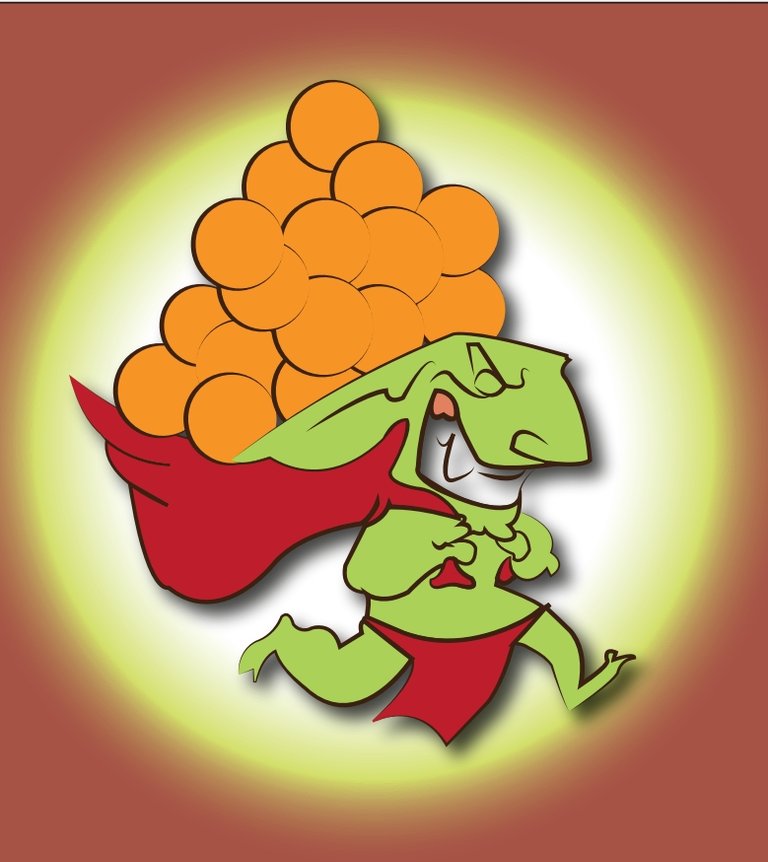
Well it is the entery for this weekly contest of @splinterlands. I hope it will be enjoyabale and attractive to you all . Todayy I made VRUZ. It is a dragon type cartoon carrying the oranges tyoe structure in the cap of his dress and running away..😂.
Here I had shared the final Look of my art.
**Finall Look**

App used
Adobe Illustrator
Skills
Mindset
Process
First of all as usual I started to draw the sketch of my work. I started from the face. I draw the structure and shape of his face. Let me show you here.

Then I started to draw the sketch of ficial structure of the VRUZ. It is really amazing. And I really did'nt bore a little bit.

Then I started to draw the cap in which he carried the oranges. It is too much easy. I had shared the vedio amd I also told about the short keys of the adobe illustrator.

Them I draw his legs and a cloth hanging btw his legs. Hahah I mean his trouser type structure.😂. Well here is the picture.

Then I started to drawing the balls I mean the oranges in his cap. I draw a lot . Here I had shared the picture of my finao Sketch Look.

Colouring
First of all I colour the balls with orange colour. I did the same orange shade colour in all the balls.

Then I started to colour in his body. I coloured the light green . It is not excat green it is seagreen or we can also say that parrot colour..😁😂.

Then I started to coliur red and parrot in other oarts of the body.. let me show you.

Then I outlined it with black colour. First I outlined it very simple.

Then I change the shape of outline amd I also increased the size of outline. I increases it from 1 to 3. And change the style. I had shown in vedio. Let me show you the pic.

Then I added a background which is my favourite part of my art. Hahahah. See downside.

Then I gave a shade to the whole art. I go to the menu bar amd and then choose the effects. . Then I choose stylize and there we find drop shadow.
Here is the final look of my work

I hope you will like it.I will come back soon with a new post.
**Thank For locving my post and visting it till end **
Allah Hafiz and Take Care
See you later
Love you a lot
"Sending you an Ecency curation vote''
Please vote for the Ecency Proposal.👇
https://ecency.com/proposals?filter=team
Thank yoy
This post has been manually curated by @bhattg from Indiaunited community. Join us on our Discord Server.
Do you know that you can earn a passive income by delegating to @indiaunited. We share more than 100 % of the curation rewards with the delegators in the form of IUC tokens. HP delegators and IUC token holders also get upto 20% additional vote weight.
Here are some handy links for delegations: 100HP, 250HP, 500HP, 1000HP.
100% of the rewards from this comment goes to the curator for their manual curation efforts. Please encourage the curator @bhattg by upvoting this comment and support the community by voting the posts made by @indiaunited.